If you have ever sat in a meeting, browsed a job listing, or read a tech article and wondered what all those letters actually mean, you are not alone. The world of technology is packed with acronyms, abbreviations, and initialisms that can feel like a foreign language. The most common question people ask is: what does “IT” stand for in tech? The short answer is Information Technology — but that is just the beginning. This article breaks down what IT means, what IT professionals actually do, and demystifies the most important tech acronyms you need to know in today’s digital world.
What Does IT Stand For?
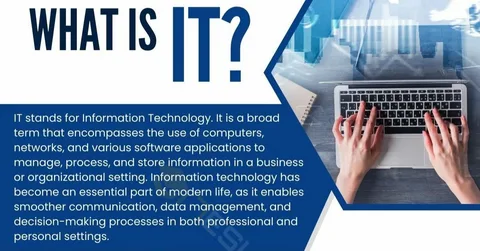
IT stands for Information Technology. It is the broad subject concerned with all aspects of managing and processing information. More specifically, IT is a subset of ICT (Information and Communications Technology) that focuses on the use of computers and servers to create, process, transmit, and store digital data.
Information technology is the study and use of computer systems to store, access, process, and share information. IT professionals design, build, install, and maintain organizations’ hardware and software systems. In practical terms, today information technology refers to everything that businesses use computers for — from building communications networks and safeguarding data, to creating databases, helping employees troubleshoot problems with their devices, and doing a range of other work to ensure the efficiency and security of business information systems.
IT has become an essential component of modern businesses, and its role has become increasingly important as organizations increasingly rely on technology to streamline their operations, increase efficiency, and stay ahead of the competition.
What Does an IT Department Actually Do?
An IT department encompasses much more than just fixing a virus on a computer or setting up a wireless network. The scope of IT includes the design, development, deployment, management, and support of computer-based information systems — covering hardware, software, networks, databases, and related services.
Typical IT functions include systems administration, network engineering, software development, cybersecurity, IT support and helpdesk, cloud services, and data management and analytics. IT jobs span a wide range — from tiny consulting firms to huge multinational corporations, and from highly technical specialties to management roles that demand strong people skills.
It is also important to understand the distinction between IT and related fields. IT is applied and operational, focused on systems and services. Computer Science, by contrast, is theoretical and engineering-focused, dealing with algorithms, theory, and software engineering. Operational Technology (OT) is concerned with hardware and software that monitors and controls physical devices and processes within industries like manufacturing or energy — while IT deals with information systems and networks that store, retrieve, transmit, and manipulate data.
The Most Important Tech Acronyms Explained
Once you understand what IT stands for, the next challenge is navigating the alphabet soup of tech acronyms that come with it. Here is a clear breakdown of the most commonly used terms in the IT world today.
AI — Artificial Intelligence
AI refers to systems that perform tasks requiring human-like reasoning. It is used in analytics, automation, chatbots, and complex decision support. AI is one of the fastest-growing areas of technology, powering everything from search engines and recommendation systems to self-driving vehicles and medical diagnosis tools.
API — Application Programming Interface
APIs are types of software interfaces that let two or more computer programs communicate with one another. They pass specific pieces of information back and forth between programs so they work together correctly to perform a function. APIs are everywhere — when you book a flight online, the website uses an API to connect to different airlines’ databases to show you available flights and prices.
IoT — Internet of Things
IoT refers to connected devices that exchange data over networks. These devices power real-time monitoring in areas like smart manufacturing, logistics, and energy. A smart thermostat is a simple example: it connects to the internet, collects data about your home’s temperature and your preferences, and automatically adjusts the temperature to save energy.
SaaS — Software as a Service
SaaS is one of three layers of cloud computing, alongside IaaS (Infrastructure as a Service) and PaaS (Platform as a Service). SaaS describes software that is licensed on a subscription basis and delivered over the internet. Users can purchase and start using SaaS applications immediately, often in minutes, for a minimal upfront cost. SaaS applications also give users access to new features and versions as soon as they are available, with providers often upgrading features several times weekly.
VPN — Virtual Private Network
A VPN is an encrypted internet connection that allows users to send and receive information across shared or public networks as if they were communicating directly connected to a private network. VPNs work by sending internet traffic through a remote server, which then comes out encrypted on the other side. They are widely used by businesses to secure remote workers’ connections to company systems.
MFA — Multi-Factor Authentication
MFA is short for multi-factor authentication. It provides enhanced security by requiring two or more independent credentials before allowing users access. These typically include something the user knows (a password), something the user has (a token), and something the user is (a biometrics identifier). The goal of MFA is to provide additional layers of security, making it more difficult for unauthorized users to gain access.
LAN and WAN — Local and Wide Area Networks
A LAN (Local Area Network) connects devices within a limited area such as an office or building, supporting fast communication, file sharing, and internal applications. A WAN (Wide Area Network) covers a large geographical area — the internet itself is the most well-known example of a WAN.
HTTP — Hypertext Transfer Protocol
HTTP is the foundation of communication on the web. It enables browsers, APIs, and applications to exchange information over the World Wide Web. The secure version, HTTPS, adds an encryption layer to protect data in transit.
IP — Internet Protocol
Internet Protocol (IP) is the method for sending data from one computer to another via the internet. Every device connected to the internet has a unique IP address that identifies it on the network and enables communication between computers, servers, and cloud applications.
DX — Digital Transformation
Digital Transformation (DX) is the modernization of systems, tools, and processes using digital technologies. It often includes automation, cloud migration, and new operating models. DX has become one of the defining business priorities of the 21st century, as companies across every industry work to adapt to the digital economy.
GenAI — Generative Artificial Intelligence
GenAI creates new content such as text, images, or code. It is increasingly used in automation design, documentation generation, and customer experience tools. Tools like ChatGPT, Gemini, and Claude are all examples of generative AI in action.
IaaS — Infrastructure as a Service
IaaS delivers compute, storage, and networking over the cloud. It allows IT teams to scale environments quickly without managing physical hardware. Major IaaS providers include Amazon Web Services (AWS), Microsoft Azure, and Google Cloud.
Why Understanding IT and Tech Acronyms Matters
So much of today’s world is powered by technology, and it is hard to find any area of modern life that does not already have some usage or application of information technology. Whether you are a business leader trying to make smart decisions, a job seeker navigating the tech industry, or simply a curious person trying to understand the world around you, knowing what IT stands for — and what all these acronyms mean — gives you a powerful advantage.
The IT world is no different from any other industry in having its own specialized language. But unlike some fields where jargon is used to exclude outsiders, tech acronyms exist primarily for efficiency: they allow professionals to communicate complex concepts quickly and precisely. Once you know the vocabulary, the conversations become much clearer.
Conclusion
So, what does IT stand for in tech? It stands for Information Technology — the broad, essential field that powers virtually every aspect of modern business and daily life. From the hardware in your office to the cloud services running your favorite apps, IT is the invisible backbone of the digital world. And alongside IT, a whole ecosystem of acronyms — AI, API, IoT, SaaS, VPN, MFA, and many more — describes the technologies and systems that make it all work. Understanding these terms is not just useful for tech professionals; it is increasingly essential for anyone navigating the modern world.