Abdul haye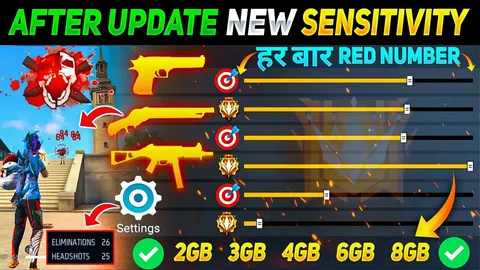
If you’re a Garona Free Fire player, you already know how thrilling it feels to hit that perfect headshot — the instant knockdown, the red number pop-up, and the satisfaction of outplaying your opponent. But pulling off headshots consistently takes more than luck. It requires precision, control, and the right sensitivity settings.
Whether you’re a new player or a veteran looking to improve your aim, this guide covers the best Free Fire sensitivity settings for headshots in 2025, along with pro tips to help you dominate ranked matches.
🎯 Why Sensitivity Settings Matter in Free Fire
In Free Fire, your sensitivity settings directly affect how fast your crosshair moves when you aim, swipe, or drag. Good settings help you:
-
Control recoil easily
-
Aim precisely at enemy heads
-
Turn quickly in close-range fights
-
Balance speed and accuracy
In short, sensitivity determines how your gameplay feels. The wrong settings can make your aim shaky or too slow, while the right ones make headshots feel natural and smooth.
⚙️ Understanding Free Fire Sensitivity Controls
Before diving into numbers, let’s understand what each sensitivity option does:
-
General Sensitivity
Controls your overall camera movement when you’re not aiming down sights. It affects how fast your screen moves when you look around or adjust aim. -
Red Dot Sensitivity
Controls aim speed when using the red dot sight (default for most SMGs and ARs). -
2x Scope Sensitivity
Affects how quickly your aim moves when using a 2x scope. -
4x Scope Sensitivity
Used for medium- to long-range fights. Crucial for ARs like SCAR or M4A1. -
Sniper Scope Sensitivity
Impacts AWM and KAR98 aim. Lower sensitivity usually gives better control. -
Free Look Sensitivity
Controls how freely you can look around using the eye icon (without moving your character).
Each player’s device and play style are different — so the perfect setup varies slightly. Still, certain optimized settings can give you a huge edge in landing consistent headshots.
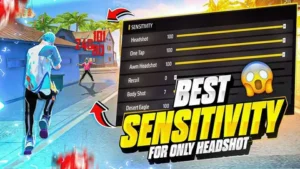
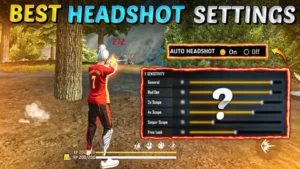
🔥 Best Free Fire Sensitivity Settings for Headshots (2025 Updated)
Here’s a tried-and-tested configuration that top players and pros recommend for headshots:
| Sensitivity Option | Recommended Value |
|---|---|
| General | 95 – 100 |
| Red Dot | 90 – 95 |
| 2x Scope | 80 – 85 |
| 4x Scope | 75 – 80 |
| Sniper Scope | 50 – 55 |
| Free Look | 60 – 65 |
Let’s break down how each setting helps with headshots.
🧠 1. General Sensitivity: 95 – 100
The General Sensitivity is the heart of your headshot accuracy. The higher the setting, the faster your aim moves — perfect for flicking your crosshair upward to hit the head.
Pro Tip:
When you’re close to the enemy, drag your crosshair upward slightly after firing. With high general sensitivity, this “drag shot” will naturally align with the head for a red-number kill.
🔴 2. Red Dot Sensitivity: 90 – 95
This is the most crucial setting for short- and mid-range fights. Since most players fight using the red dot sight, increasing sensitivity helps you quickly lock onto the head after the first bullet.
Try this:
Fire one or two bullets at the enemy’s chest, then drag the aim slightly upward — this motion, combined with high red dot sensitivity, produces consistent headshots.
🕶️ 3. 2x Scope Sensitivity: 80 – 85
When you’re engaging enemies at a moderate distance, your 2x scope comes into play. Too high, and your crosshair becomes unstable; too low, and you can’t react fast enough.
Tip:
Keep it balanced around 80–85 to maintain smooth movement while tracking running targets.
🎯 4. 4x Scope Sensitivity: 75 – 80
A slightly lower setting gives you better recoil control during long sprays. This range ensures you can drag the aim accurately to the head while maintaining stability.
Pro Setting Example:
If you use weapons like M14, SCAR, or M4A1, 75–80 sensitivity will give perfect vertical drag control for headshots.
🧍 5. Sniper Scope Sensitivity: 50 – 55
For bolt-action sniper rifles like AWM or KAR98, precision is key. Lower sensitivity prevents over-swiping and keeps your aim stable for one-tap headshots.
Tip for Snipers:
Always aim slightly below the head and flick upward when the enemy stops moving. With 50–55 sensitivity, this flick is both smooth and accurate.
👁️ 6. Free Look Sensitivity: 60 – 65
Though it doesn’t affect shooting directly, Free Look helps in scanning your surroundings quickly without moving your character. Setting it around 60–65 gives a smooth rotational view to stay aware of enemies approaching from behind.
⚒️ Device Optimization Tips for Headshots
Even the perfect sensitivity settings won’t help if your device lags or has inconsistent touch response. Here are a few quick optimizations:
-
Set Frame Rate to High – smoother gameplay improves aim tracking.
-
Clean Background Apps – reduces input delay.
-
Use a Stable Internet Connection – lag can ruin headshot timing.
-
Use a Finger Sleeve or Smooth Screen Protector – improves drag consistency.
-
Customize HUD Layout – keep the fire button large and easily reachable for quick drag-shots.
🧩 How to Find Your Personal Sensitivity Settings
Every device’s screen size and touch response differ — so tweak gradually:
-
Start with the recommended settings above.
-
Enter training mode and test with different weapons.
-
Drag your crosshair upward during bursts — if it moves too far, lower sensitivity slightly; if it barely moves, raise it.
-
Spend 10–15 minutes daily practicing drag headshots.
Within a few days, your reflexes will adapt to your custom sensitivity perfectly.
🕹️ Pro Tips for Landing More Headshots
Even with perfect sensitivity, you need proper aiming technique. Here’s how to improve your consistency:
1. Master Drag-Headshots
When shooting, drag your fire button slightly upward in one smooth motion. This transfers your aim from the chest to the head.
2. Use Aim Precision on Default
Avoid the “Full Control” setting — “Default” helps the system auto-adjust slightly towards the target’s body, making upward drags smoother.
3. Practice with Different Weapons
Each gun’s recoil pattern differs. SMGs like MP40 and Vector are great for close-range drag-shots, while ARs like SCAR are better for mid-range precision.
4. Control Recoil with Short Bursts
Spraying continuously ruins accuracy. Instead, fire in short bursts while dragging up — this increases the chance of landing headshots.
5. Stay in Training Mode
The training ground is your best friend. Test headshot angles, jump-shots, and drag timing daily.
6. Positioning Matters
Aim for higher ground or cover to expose enemy heads first — giving you a positional advantage.
📱 Device-Based Sensitivity Recommendations
Different devices react differently. Here’s a quick guide:
| Device Type | General | Red Dot | 2x | 4x | Sniper | Free Look |
|---|---|---|---|---|---|---|
| Low-End Device | 90 | 85 | 75 | 70 | 50 | 60 |
| Mid-Range Device | 95 | 90 | 80 | 75 | 55 | 65 |
| High-End Device | 100 | 95 | 85 | 80 | 55 | 65 |
If your device has low touch response or lag, slightly lower each value for smoother control.
🔄 Should You Copy Pro Players’ Sensitivity Settings?
It’s tempting to use sensitivity settings from famous Free Fire pros like RUOK FF, Raistar, or TSG Legend — but remember, their setups are optimized for their devices and play styles.
Use them as a starting point, not a permanent setup. Always fine-tune for your comfort.
📈 Advanced Tip: Custom DPI and Settings
If your device allows DPI adjustment (in developer options):
-
Set DPI between 400–600 for smoother drag movement.
-
Avoid going too high — it can cause overshoot or unstable crosshair movement.
Combine this with the above sensitivity for an ultra-responsive setup.
🧠 Common Mistakes to Avoid
-
Changing settings too often — muscle memory breaks easily.
-
Using max sensitivity on all options — causes shaky aim.
-
Ignoring training mode — every sensitivity needs adaptation.
-
Copying others blindly — what works for them may not for you.
-
Playing on laggy devices — even perfect settings can’t fix lag.
Stay consistent with one configuration for at least a week before making small tweaks.
💬 FAQs: Free Fire Sensitivity Settings for Headshots
Q1. What is the best overall sensitivity for headshots in Free Fire?
A: The best overall setup is: General – 95 to 100, Red Dot – 90 to 95, 2x – 80 to 85, 4x – 75 to 80, Sniper – 50 to 55, and Free Look – 60 to 65.
Q2. Does high sensitivity increase headshot accuracy?
A: Yes — but only if you can control it. Higher sensitivity helps with fast upward drag, but too much can make aim unstable.
Q3. Should I use custom DPI for better aim?
A: You can, but be careful. Only increase slightly (400–600 range) to avoid erratic aim.
Q4. Which gun is best for headshots in Free Fire?
A: SMGs like MP40 and ARs like SCAR or M14 are excellent for headshots when combined with good drag control.
Q5. How long does it take to master headshots?
A: With 15–20 minutes of daily training, most players start hitting consistent headshots within 7–10 days.
🏆 Final Thoughts
Mastering Free Fire sensitivity settings for headshots isn’t about copying numbers — it’s about finding your balance between control and speed. Start with the recommended settings, spend time in the training ground, and refine them to match your reflexes.
Within a week, you’ll notice smoother drag movements, more red numbers, and — most importantly — more Booyahs.
So, gear up, tweak your sensitivity, and let every bullet count.
✅ Key Takeaway:
The right sensitivity turns ordinary aimers into headshot masters. Practice daily, adjust slowly, and you’ll rule the battlefield.