Abdul haye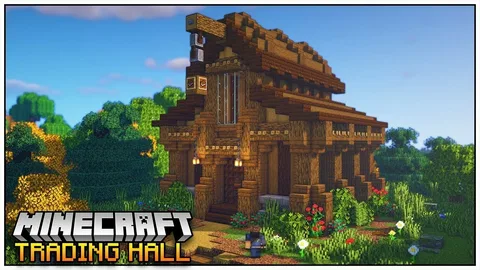
In the ever-evolving world of Minecraft, few things are as rewarding as building an efficient and well-organized Villager Trading Hall. Whether you’re an experienced player or just starting to explore the intricacies of villager trading, a trading hall can transform your gameplay—giving you access to rare enchantments, powerful gear, and a stable economy.
In this guide, we’ll explore everything you need to know about creating, optimizing, and maintaining a Villager Trading Hall in 2025. From the mechanics of villager professions to the best hall designs, you’ll learn how to make your trading setup both functional and beautiful.
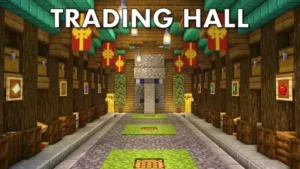
What Is a Villager Trading Hall?
A Villager Trading Hall is a controlled environment where players house multiple villagers, each assigned a specific profession. These villagers offer trades such as enchanted books, emeralds, armor, and other valuable items. The hall acts as a central hub for easy trading, resource management, and item farming.
Instead of having villagers wandering around your village aimlessly, a trading hall keeps them organized and accessible. Players can quickly locate the librarian with Mending, the armorer selling diamond gear, or the farmer who buys wheat for emeralds—all under one roof.
Essentially, it’s a villager marketplace—but far more efficient.
Why Build a Villager Trading Hall?
Before diving into design details, let’s understand why so many players invest time and resources into building a trading hall.
1. Access to Powerful Enchantments
By locking in librarians with specific enchanted books (like Mending, Unbreaking III, or Sharpness V), you gain consistent access to top-tier enchantments without relying on random loot or the enchanting table’s RNG.
2. Infinite Emerald Supply
Villager trades allow you to build a renewable economy. With farmers, fletchers, and fishermen, you can trade easily obtainable resources (like crops or sticks) for emeralds, which you can then use for rare items.
3. Self-Sustaining Economy
Once established, your trading hall becomes nearly self-sufficient. You can earn emeralds, upgrade tools, and even repair equipment—all without mining or exploring.
4. Centralized Trading System
No more running between random villagers scattered across your base. Everything you need is in one organized hall, saving time and boosting efficiency.
5. Late-Game Convenience
Trading halls are particularly valuable for long-term survival or multiplayer servers. They provide steady access to key items that can drastically simplify late-game progress.
How Villager Professions Work
Before assigning villagers to their workstations, it’s crucial to understand how villager professions function.
Villagers pick professions based on the workstation block near them. Here’s a breakdown:
| Profession | Workstation Block | Example Trades |
|---|---|---|
| Librarian | Lectern | Enchanted books, bookshelves |
| Farmer | Composter | Crops, golden carrots |
| Armorer | Blast Furnace | Armor pieces |
| Toolsmith | Smithing Table | Tools, bells |
| Weaponsmith | Grindstone | Weapons, axes |
| Fletcher | Fletching Table | Bows, arrows, sticks |
| Cleric | Brewing Stand | Ender Pearls, Redstone |
| Cartographer | Cartography Table | Maps, banners |
| Mason | Stonecutter | Stone blocks, quartz |
| Leatherworker | Cauldron | Leather armor |
Each villager type plays a key role in your trading hall’s economy. For instance, librarians are usually the most valuable because of their enchantments, while farmers are essential for emerald generation.
Step-by-Step: How to Build a Villager Trading Hall
Step 1: Gather Materials
You’ll need building blocks (like stone bricks or wood), glass for viewing areas, workstations for each villager, beds, lighting (lanterns or glowstone), and minecarts for transportation.
Step 2: Capture and Transport Villagers
You can breed villagers using beds and food (bread, carrots, or potatoes) or transport them from a nearby village using boats or minecarts. Once you have enough, you can start assigning professions.
Step 3: Assign Professions
Place the desired workstation near a villager. They’ll automatically take on that profession if they’re unemployed. To lock in their trades, complete at least one trade with them—this prevents the villager from changing professions.
Step 4: Design the Layout
Most trading halls use rows or columns to separate each villager. Each cell should have:
-
1 villager
-
1 workstation block
-
1 bed (optional if breeding)
-
1 trapdoor or gate (to prevent escapes)
-
Light to prevent hostile mob spawns
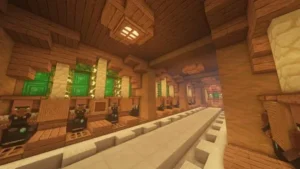
A common layout is a two-row system with a walkway in the middle, allowing you to trade easily from both sides.
Step 5: Zombie Conversion for Discounts (Optional)
For advanced players, allowing a zombie to infect villagers and then curing them can lead to massive trade discounts. Using a Splash Potion of Weakness and a Golden Apple, you can cure infected villagers to get trades for 1 emerald—or even 1 item—for premium deals.
Step 6: Automate the System
Some players incorporate Redstone automation, like:
-
Rail systems to move villagers efficiently
-
Trapdoors for safety
-
Bells to control work hours
-
Automatic crop farms to feed breeding villagers
Automation isn’t mandatory but can save a ton of time, especially on large servers.
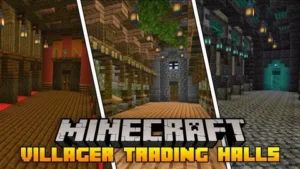
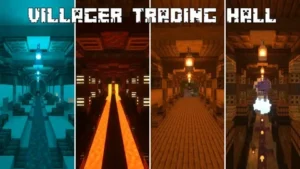
Design Ideas for Villager Trading Halls
Your hall doesn’t have to be just functional—it can also be visually stunning. Here are a few design inspirations:
1. Underground Trading Hall
Perfect for players who value compactness and security. Building underground hides villagers from raids and provides a quiet trading space.
2. Castle-Style Hall
Use stone bricks, banners, and armor stands for a royal aesthetic. Each villager booth can look like a medieval market stall.
3. Modern Laboratory
If you prefer a futuristic vibe, use quartz, sea lanterns, and glass. Label each workstation with item frames and color codes for easy navigation.
4. Village Integration
Instead of separating villagers, convert an existing village into your hall. Replace houses with stalls and link them with paths for a natural look.
5. Floating Hall or Sky Base
In creative builds, floating trading halls are visually impressive and safe from mobs. They’re ideal for aesthetic players who love architectural challenges.
Tips for Optimizing Your Trading Hall
-
Use Name Tags to label each villager’s specialty (e.g., “Mending Book,” “Sharpness V”).
-
Keep Villagers Safe—use fences, lighting, and iron golems to protect from zombies and raids.
-
Trade Daily to refresh stock and level up professions.
-
Use Job Block Refresh Trick: Break and replace a villager’s workstation to reset trades until you find a desirable one.
-
Cure Villagers for Maximum Profit: Combine zombie curing with stacked discounts for almost-free trades.
-
Build Near Your Base or Storage Area: Convenience saves time when managing emeralds and resources.
-
Add Decor: Using banners, item frames, and signs helps visually organize the hall.
Common Mistakes to Avoid
-
Mixing Professions in One Area
Villagers may accidentally claim each other’s workstations if not properly separated. -
Insufficient Lighting
Dark corners can spawn zombies or creepers, which can destroy your progress. -
Forgetting to Lock Trades
If you don’t make a trade with a villager, they might lose their profession when the workstation is moved. -
Overcrowding
Too many villagers in one area can cause lag and trading delays, especially on multiplayer servers. -
Ignoring Job Refresh Times
Villagers refresh trades twice per in-game day—missing these windows can slow your emerald farming.
Advanced Villager Trading Hall Concepts
Once you master the basics, you can expand your hall with advanced systems:
-
Automatic Breeding & Sorting: A system that breeds and directs newborn villagers to available stalls.
-
Redstone-Controlled Booths: Mechanisms that open and close stalls or deliver new villagers automatically.
-
Iron Farm Integration: Connect your trading hall with an iron golem farm for constant emerald income.
-
Emerald Vault: Store your emeralds in a central, automated chest system with hoppers and item sorters.
These features make your base look high-tech while improving gameplay efficiency.
Villager Trading Hall in Multiplayer Servers
In multiplayer servers, trading halls often become community hubs. Players can share access, specialize in certain professions, or even start emerald-based economies.
Here are a few multiplayer-specific tips:
-
Set permissions or rules for trading access.
-
Establish shared storage for emeralds and items.
-
Create price boards for trades between players.
-
Encourage cooperative villager curing for discounted trades.
A well-designed hall can turn your server into an active economy with shops, currencies, and community projects.
Future of Villager Trading in Minecraft (2025 and Beyond)
As Minecraft continues to evolve, Mojang keeps refining villager behavior. In 2025, trading mechanics have become smoother, with AI improvements reducing glitches. Players can expect:
-
Better workstation linking
-
Smarter villager pathfinding
-
Customizable trade options in experimental modes
Future updates may even introduce dynamic village markets, where villagers interact and trade independently—making trading halls even more immersive.
Final Thoughts
A Villager Trading Hall is more than just a structure—it’s a cornerstone of Minecraft’s economy, creativity, and survival strategy. Whether you want a humble row of librarians or an elaborate multi-level trading empire, the satisfaction of efficient trading never gets old.
By understanding villager mechanics, optimizing professions, and adding creative flair, your hall can become the heart of your world—providing everything you need to thrive.
So, grab your pickaxe, wrangle some villagers, and start building your own trading paradise today!