Abdul haye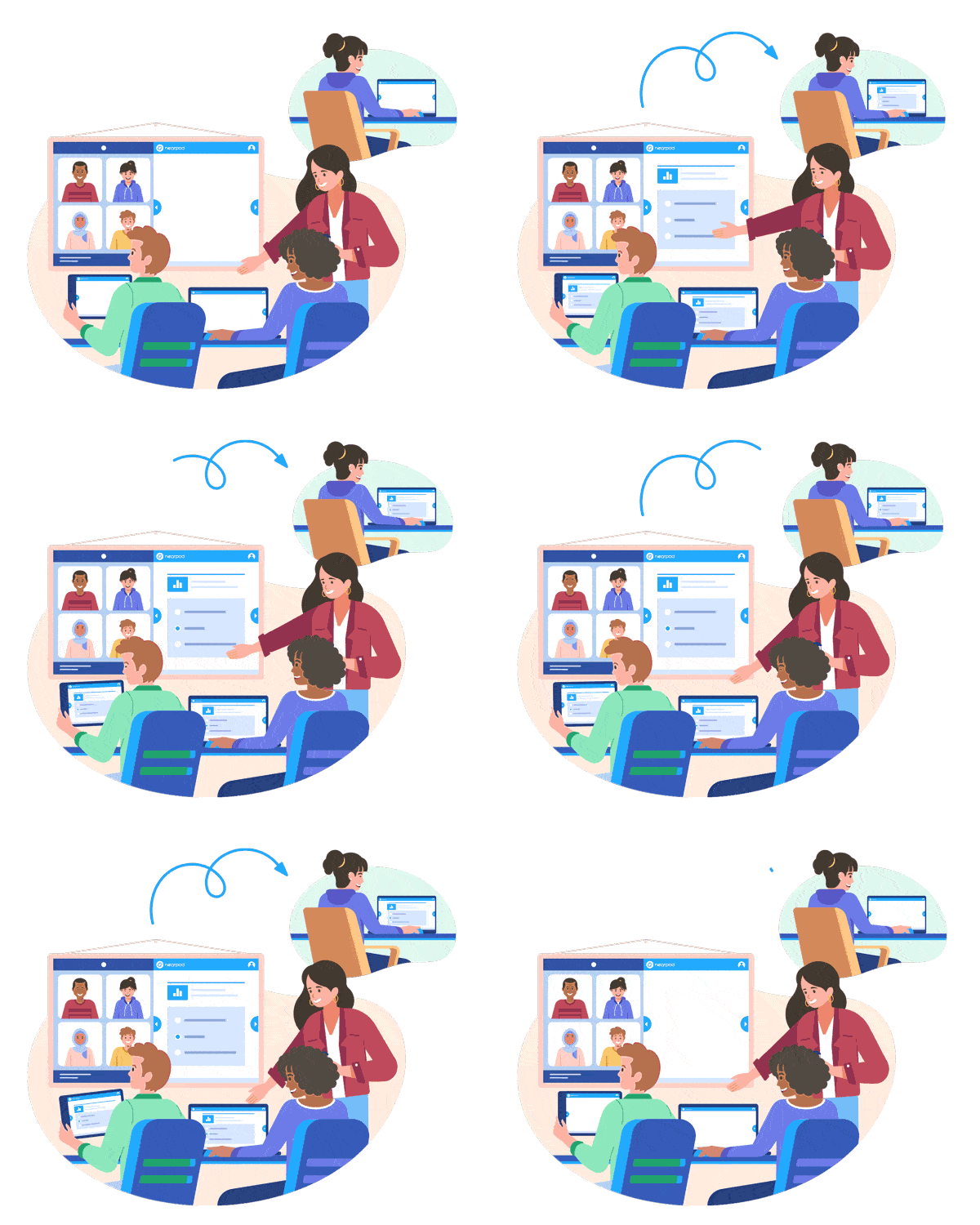
Nearpod has revolutionized the digital classroom experience, making interactive learning more accessible and engaging. One of the key features that facilitate this seamless interaction between teachers and students is the Nearpod code. Whether you’re an educator seeking to optimize lesson delivery or a student eager to join a live session, understanding how Nearpod codes work is essential. In this article, we’ll explore everything you need to know about Nearpod codes, including what they are, how they work, and tips for using them effectively.
What is a Nearpod Code?
A Nearpod code, sometimes referred to as a join code or session code, is a unique alphanumeric string generated by the Nearpod platform. When a teacher launches a Nearpod lesson, the platform creates a code that students can use to join the session from their own devices. This streamlined process enables real-time participation, making remote and in-person learning more dynamic.
How Does a Nearpod Code Work?
The workflow for using a Nearpod code is simple:
- Teacher launches a lesson: From the Nearpod dashboard, the teacher selects a lesson and chooses to launch it in either Live Participation or Student-Paced mode.
- Session code is generated: Nearpod instantly displays a unique code, usually consisting of five letters.
- Students join the session: Students go to nearpod.com or use the Nearpod app and enter the code in the “Join a Lesson” field.
- Interactive learning begins: Once students join, they can participate in quizzes, polls, collaborate boards, and interactive slides in real time.
Types of Nearpod Codes
Nearpod offers different session types, each with its own code:
- Live Participation Code: Used when the teacher guides the class through the lesson in real time. The teacher controls the pace, and all students view the same content simultaneously.
- Student-Paced Code: Ideal for homework or asynchronous learning. Students can navigate the lesson at their own pace, and the code typically remains active for several days.
How to Generate a Nearpod Code
Generating a Nearpod code is straightforward:
- Log in to Nearpod: Teachers access their Nearpod accounts.
- Select a lesson: Choose from pre-made lessons or create your own.
- Choose a session type: Click “Live Participation” or “Student-Paced.”
- Share the code: Once the session is launched, the unique code appears on the screen. Teachers share this code with students via email, learning management systems (LMS), or verbally.
How to Use a Nearpod Code as a Student
Students can join a Nearpod lesson in three simple steps:
- Go to nearpod.com: On a browser or the Nearpod app.
- Enter the code: Type the session code provided by the teacher.
- Join the lesson: Enter your name and participate in the interactive activities.
Best Practices for Sharing Nearpod Codes
To maximize participation and minimize confusion, consider these tips:
- Double-check the code: Before sending it to students, ensure there are no typos.
- Post the code in multiple places: Use your class website, LMS, or group chat to share the code.
- Announce the code verbally: For in-person classes, say the code aloud and write it on the board.
- Send reminders: For student-paced sessions, remind students of the code and deadline.
Troubleshooting Nearpod Code Issues
While Nearpod codes are designed for ease of use, you may encounter occasional issues:
- Invalid code message: Double-check the code for typos. Codes are case-insensitive but must be entered accurately.
- Expired code: Live session codes expire when the session ends; student-paced codes have a time limit set by the teacher.
- Too many participants: Free Nearpod accounts have participant limits. Consider upgrading if you have a large class.
Security and Privacy Considerations
Nearpod codes provide a layer of privacy by restricting lesson access to only those with the code. However, to ensure student data privacy:
- Share codes securely: Avoid posting codes publicly on social media.
- Monitor participants: Teachers can see who has joined and remove unauthorized users if needed.
Integrating Nearpod Codes with Learning Management Systems
Many teachers use LMS platforms like Google Classroom, Canvas, or Schoology. Nearpod integrates seamlessly with these systems. Instead of manually sharing codes, you can post the Nearpod lesson link directly in your LMS, which automatically includes the session code. This integration saves time and ensures all students have access.
Creative Uses for Nearpod Codes
Nearpod codes aren’t just for lessons—they can be used for:
- Formative assessments: Launch a quick quiz or poll to gauge understanding.
- Virtual field trips: Use codes to take students on immersive journeys.
- Parent engagement: Share codes with parents for open house or showcase events.
- Professional development: Facilitate staff training sessions using Nearpod codes.
Frequently Asked Questions About Nearpod Codes
Q: How long is a Nearpod code active?
- Live Participation codes remain active for the duration of the lesson. Student-Paced codes can last up to 29 days, depending on the teacher’s settings.
Q: Can a Nearpod code be reused?
- No, each code is unique to a specific session. To relaunch a lesson, generate a new code.
Q: What devices can use a Nearpod code?
- Nearpod is web-based and works on laptops, Chromebooks, tablets, and smartphones.
Q: Do students need an account to use a Nearpod code?
- No, students typically only need the code and their name to join. Some features may require login for additional tracking.
Tips for Maximizing the Value of Nearpod Codes
- Preview the lesson: Walk through the session as a student using the code before sharing it with your class.
- Set clear expectations: Let students know when and how to join, and what’s expected.
- Monitor engagement: Use Nearpod’s analytics to see which students joined with the code and participated in activities.
- Encourage collaboration: Use interactive features that require students to respond or work together after joining via the code.
The Future of Nearpod Codes
As educational technology evolves, Nearpod continues to innovate. Codes may soon integrate with other platforms, offer more customization, or support advanced security features. Staying updated on new developments ensures you and your students get the most from the Nearpod experience.
Conclusion
Nearpod codes are a simple yet powerful tool for linking students and teachers in an interactive learning environment. Mastering their use unlocks countless possibilities for engagement, assessment, and collaboration. By understanding how Nearpod codes work and following best practices for sharing and managing them, educators and students alike can enjoy a seamless, enriching digital classroom experience.