Abdul haye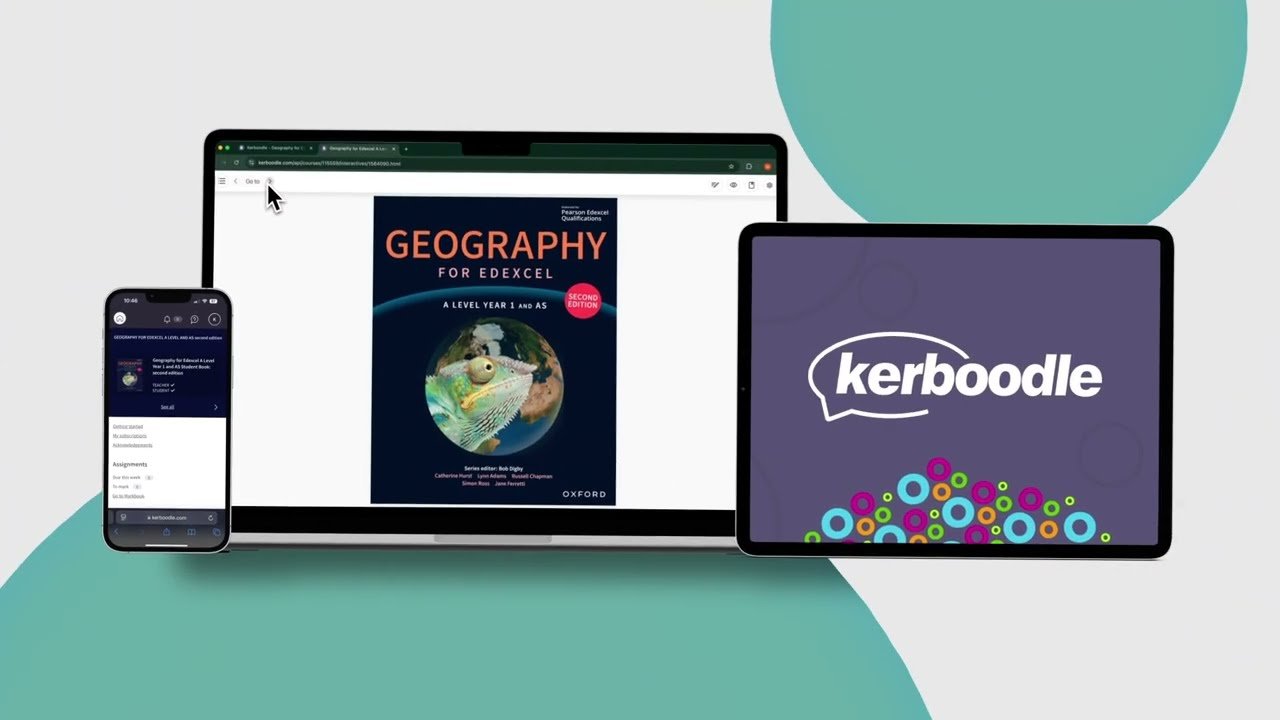
Imagine classrooms where students dive into lessons with videos, quizzes, and interactive maps at their fingertips. No more dusty textbooks gathering dust on shelves. Kerboodle steps in as a top digital learning platform for secondary schools in the UK. It offers rich content that makes teaching and learning come alive. This guide breaks down what Kerboodle does, its key tools, and how you can use it to boost education. You’ll get practical tips and real benefits to help your school thrive.
What Exactly is Kerboodle? Core Functionality and Scope
Kerboodle started as a tool from Oxford University Press. It aims to support teachers and students in secondary education. The platform delivers online resources tied to the UK curriculum. Schools use it for subjects like math, science, and history. Its main goal is to make lessons more engaging and easy to access.
You can think of Kerboodle as a one-stop shop for digital textbooks and extras. It covers key stages from year 7 to A-levels. Teachers find lesson plans and activities that fit daily needs. Students get homework help and revision aids right on their devices.
The platform shines in its focus on UK schools. It aligns with national standards, so educators spend less time adapting materials.
Publisher Partnerships and Content Range
Kerboodle pulls from trusted names like Oxford University Press and Hodder Education. These partners provide high-quality materials for various subjects. You get everything from biology simulations to language exercises.
The content spans sciences, humanities, and modern languages. For example, history lessons include timelines and primary sources. English classes offer interactive story builders. This wide range helps cover full curricula without gaps.
Schools pick subjects based on their needs. Partnerships ensure updates keep pace with new teaching methods.
Licensing Models and Accessibility
Schools often buy site-wide licenses for whole access. Some opt for per-student plans to fit budgets. This setup lets everyone use it without extra costs per user.
Kerboodle works on desktops, tablets, and phones. It supports browsers like Chrome and Safari. Features like screen readers help students with disabilities join in.
Access starts with a simple login. Teachers assign resources by class or group. This keeps things organized and fair for all.
The Shift from Physical Textbooks to Digital
Old-school books limit you to static pages and high reprint costs. Kerboodle brings dynamic content that changes with a click. Videos play, quizzes score instantly, and links lead to more info.
In the UK, over 70% of secondary schools now use digital tools daily. This trend cuts waste and saves space. Students engage more when lessons feel like apps, not reads.
You save time flipping pages. Instead, search keywords to find exact sections fast.
Key Features Empowering Teachers and Students
Kerboodle packs tools that change how you teach. Teachers build lessons with ease. Students learn at their own speed. These features bridge the gap between theory and fun.
From quizzes to videos, everything supports active learning. You see quick wins in student interest. Let’s look at what stands out.
Interactive Learning Tools and Engagement Features
Embedded videos explain tough topics like chemical reactions. Interactive simulations let students test gravity or ecosystems. Self-check quizzes give instant feedback to build confidence.
Glossaries pop up with definitions for new words. Teachers use these to flip classes—assign videos for home, discuss in school. Try starting a lesson with a simulation; watch engagement soar.
One tip: Pair tools with group work. Students discuss quiz results together. This sparks deeper talks and retention.
Assessment and Progress Tracking Capabilities
Built-in analytics show who grasps concepts and who needs help. Teachers track scores over time and spot weak areas. Generate reports for parents or school leaders in minutes.
The platform supports different paces. Struggling students get extra practice links. Advanced ones tackle challenges.
Use dashboards to plan reviews. If half the class misses a skill, reteach it right away. This keeps everyone on track for exams.
Offline Access and Platform Synchronization
Not every spot has strong internet. Kerboodle lets you download resources for offline use. Work on a tablet during a field trip, then sync later.
It runs smooth across devices. Start on a computer, pick up on a phone. No lost progress.
This flexibility fits busy school days. Students revise on the bus home. Teachers prep without Wi-Fi worries.
Implementing Kerboodle Effectively in the Classroom
Getting started with Kerboodle takes planning. But once set up, it flows into your routine. You gain time for what matters—teaching.
Focus on your goals first. Map tools to lessons. Train staff for best results.
Initial Setup and Integration with VLEs
Onboarding begins with a school admin account. Add users by class or year group. It takes under an hour for basics.
Link it to systems like Moodle or Google Classroom. Single sign-on means no extra logins. Students jump in without hassle.
Test a small group first. Fix any glitches before full rollout. This smooths the path for all.
Curating Resources for Specific Curricula (e.g., GCSE, A-Level)
Match content to GCSE science specs from AQA or Edexcel. Kerboodle has pre-built packs for these. Pick biology units that align with exam questions.
For A-level history, use source analysis tools tied to the syllabus. One example: The platform’s World War II module matches OCR requirements perfectly. Students practice essays with built-in prompts.
Search by keyword or topic. Customize lists for your term plans. This saves hours of hunting.
Strategies for Promoting Student Self-Regulation
Encourage kids to hit revision mode for spaced practice. They review past quizzes at set intervals. This sticks knowledge better than cramming.
Teach digital note-taking in the platform. Students highlight texts and add comments. Share notes with peers for study groups.
Set weekly goals, like completing three activities. Reward progress with badges. You build habits that last beyond school.
The Educational Value Proposition: Benefits and Impact
Kerboodle delivers real gains for schools. It cuts costs and lifts results. Teachers work smarter, students learn deeper.
Beyond basics, it adapts to needs. See how it pays off long-term.
Cost-Effectiveness and Resource Longevity
Buy once, use for years without reprints. Physical books wear out fast; digital ones stay fresh. Departments save thousands on updates.
One school swapped books for Kerboodle and cut material budgets by 40%. Money goes to tech or trips instead.
Subscriptions scale with enrollment. No storage fees for old editions.
Enhancing Differentiation and Personalized Learning Paths
Digital tools let you tailor paths. Slow learners get simple explanations. Quick ones explore extras.
As one expert notes, “Platforms like this match Vygotsky’s zone of proximal development—right challenge for growth.” Students advance without boredom or frustration.
Track paths in real time. Adjust on the fly for mixed classes.
Future-Proofing Educational Content
Print books lag on changes, like new climate data. Kerboodle updates fast—add a module in weeks. Stay current with curriculum shifts.
Teachers get alerts on revisions. No outdated info in lessons.
This keeps your school ahead. Students learn facts that matter now.
Conclusion: Maximizing Your Investment in Digital Education
Kerboodle serves as your central hub for lively, up-to-date resources. It streamlines teaching and sparks student drive. Schools see better outcomes with less effort.
Key takeaways:
- Access broad, curriculum-aligned content from top publishers.
- Use interactive tools and tracking to engage and assess easily.
- Integrate offline options for flexible learning anywhere.
- Cut costs while personalizing paths for all students.
- Update content quickly to match real-world changes.