Introduction: The Timeless Allure of Trading Cards
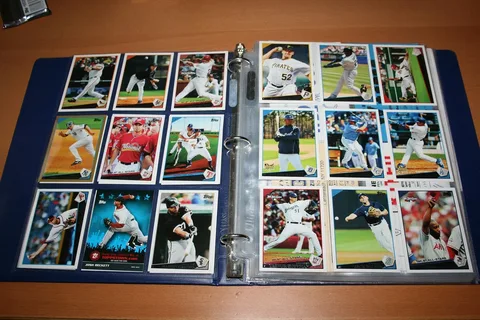
Trading cards have been captivating people for generations — from kids swapping Pokémon cards on playgrounds to adults collecting rare baseball or NFT cards. Whether physical or digital, trading cards are more than just collectibles; they’re tiny works of art that tell stories, celebrate fandoms, and even hold real-world value.
If you’ve ever dreamed of designing your own cards — for a game, a brand, or a creative project — the first step is understanding the trading card template. A good template is the foundation for your design, giving your cards the right balance of aesthetics, structure, and functionality.
In this article, we’ll explore what a trading card template is, its key components, popular formats, tools for creating your own, and tips to make your cards stand out — whether for personal fun or professional projects.
1. What Is a Trading Card Template?
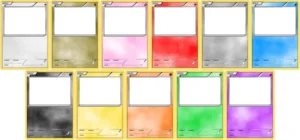
A trading card template is a pre-designed layout or digital file that helps you structure the design of your trading cards. It defines where to place essential elements like:
-
Character or player images
-
Stats or abilities
-
Titles or names
-
Logos and branding
-
Rarity icons
-
Background design
Templates act as blueprints that ensure every card in your collection looks consistent and professional. Whether you’re designing sports cards, fantasy cards, game decks, or even business-themed collectibles, templates help streamline the creative process.
2. The Evolution of Trading Cards
Before diving deep into design, it’s fascinating to see how far trading cards have come.
-
Late 1800s: The first trading cards were used by tobacco companies as collectible promotions.
-
1950s–1980s: Sports trading cards, especially baseball and basketball cards, became cultural icons.
-
1990s: The Pokémon and Magic: The Gathering era began — introducing gameplay to collectibles.
-
2020s: The rise of digital and NFT trading cards brought a new frontier of ownership and creativity.
Today, with design tools and templates readily available online, anyone can create their own trading cards — from indie game creators to teachers gamifying education.
3. Why Use a Trading Card Template?
Creating a trading card from scratch can be exciting but time-consuming. A well-made template saves hours of design effort while maintaining visual balance.
Benefits of Using a Template:
✅ Consistency: Ensures all cards follow the same visual and structural format.
✅ Professionalism: Gives even amateur designers a polished, high-quality result.
✅ Efficiency: Templates eliminate repetitive layout work.
✅ Customization: You can modify colors, fonts, and graphics to fit your brand or theme.
✅ Scalability: Great for projects involving dozens or even thousands of unique cards.
Whether you’re designing for print or digital distribution, templates are the secret to creating cohesive, collectible-worthy sets.
4. Common Types of Trading Card Templates
Depending on your purpose, there are several types of trading card templates available:
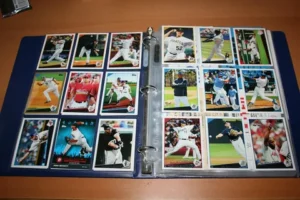
a. Sports Trading Card Template
Sports card templates often include:
-
A player image or action shot
-
Team name and logo
-
Player stats (age, height, performance record)
-
QR code for digital stats or highlights
They typically use dynamic layouts, bold colors, and metallic accents to enhance prestige.
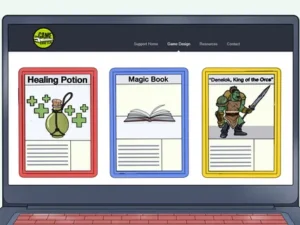
b. Gaming or Fantasy Card Template
These are popular in tabletop and online card games like Magic: The Gathering, Yu-Gi-Oh!, or custom TCGs.
Typical elements include:
-
Character name and artwork
-
Attack and defense stats
-
Abilities or skill descriptions
-
Energy or resource icons
-
Rarity markers
These templates lean toward fantasy, sci-fi, or anime-inspired aesthetics.
c. Business or Personal Trading Card Template
Not all trading cards are for games. Many professionals create personal trading cards to promote their brands or achievements — think of them as creative business cards.
Features include:
-
Profile photo or logo
-
Short bio or tagline
-
QR code or contact link
-
Branded color scheme
They’re perfect for events, conferences, and creative marketing campaigns.
d. Educational Trading Card Template
Teachers and educators use trading cards as classroom tools — turning lessons into collectible games.
Example ideas:
-
Historical figure cards
-
Vocabulary word cards
-
Science species or planet cards
Templates are usually kid-friendly, colorful, and easy to print.
e. Digital or NFT Trading Card Template
The newest trend involves creating digital trading cards for blockchain or online collections.
These templates emphasize:
-
Animation-ready layers
-
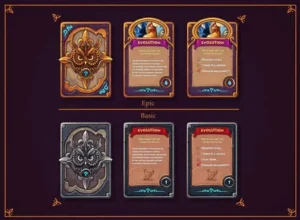
Digital rarity levels (Epic, Rare, Legendary)
-
Metadata for ownership tracking
-
3D or holographic visuals
With the rise of NFTs, digital templates are now in high demand among artists and crypto enthusiasts.
5. Standard Trading Card Sizes and Layouts
Before designing, you need to know the standard dimensions for your cards.
Most Common Sizes:
-
2.5 x 3.5 inches — Standard sports and Pokémon card size.
-
3 x 4 inches — Slightly larger for educational or promotional cards.
-
Custom sizes — Used for creative or game-specific cards.
Design Layout Essentials:
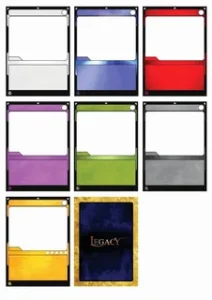
Every trading card template should include the following zones:
| Section | Purpose |
|---|---|
| Title/Header Area | Displays the card name or player’s name. |
| Image/Artwork Section | The focal point, often covering 50–70% of the card. |
| Stat/Info Box | Includes numbers, abilities, or data. |
| Description Area | Explains backstory or functionality. |
| Rarity or Logo Zone | Identifies rarity or brand identity. |
| Border & Background | Frames the card and adds thematic flair. |
6. Design Tools for Creating Trading Cards
If you’re not a professional designer, don’t worry — there are plenty of tools and software that make card creation easy.
a. Canva
A beginner-friendly tool with thousands of pre-made templates.
You can search “trading card template” and customize it using drag-and-drop editing.
Pros: Easy to use, no design experience needed
Cons: Limited advanced editing options
b. Adobe Photoshop or Illustrator
Ideal for advanced designers who want total control.
Pros: Professional-level precision and creative flexibility
Cons: Steeper learning curve and subscription cost
c. Figma
Perfect for collaborative projects or game development teams.
Pros: Real-time editing, team-friendly, vector-based
Cons: Requires design familiarity
d. Trading Card Maker Apps
Dedicated apps like MTG Card Maker, Card Creator, or TCGEditor let you create cards for fun or commercial use with ready-to-edit templates.
Pros: Pre-built stats sections and icons for games
Cons: Limited customization flexibility
e. Microsoft PowerPoint or Google Slides
Yes — you can design trading cards with simple tools! For classroom or casual projects, these are quick and accessible.
7. Printing Your Trading Cards
Once your designs are complete, you’ll need to print them professionally.
Steps to Print Trading Cards:
-
Choose the right paper: Glossy cardstock (300–400 GSM) is ideal for durability.
-
Add bleed margins: Leave at least 1/8-inch bleed for cutting accuracy.
-
Export as high-resolution PDF or PNG.
-
Use a reliable printing service: Companies like Vistaprint, MakePlayingCards.com, or PrintNinja specialize in trading card production.
For DIY printing, you can use high-quality inkjet or laser printers, but lamination is recommended for longevity.
8. Tips for Designing an Eye-Catching Trading Card Template
a. Keep It Balanced
Avoid overcrowding the design. Each section should be clear and readable.
b. Focus on Visual Hierarchy
The eye should naturally move from the title → image → stats → description.
c. Use High-Quality Artwork
Low-resolution images ruin the professional feel. Use at least 300 DPI for printing.
d. Stay Consistent
If creating a series, maintain the same fonts, borders, and color palette across all cards.
e. Add Personality
Use custom icons, symbols, or background effects that match your theme (sports, fantasy, sci-fi, etc.).
f. Don’t Forget the Back
The reverse side can feature logos, QR codes, trivia, or even collectible numbering.
9. Where to Find Free and Premium Trading Card Templates
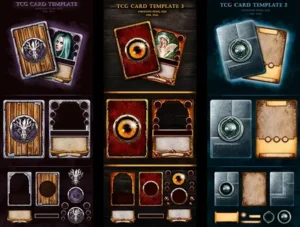
If you’d rather start with an existing design, here are popular sources:
| Platform | Features | Price |
|---|---|---|
| Canva | Editable templates with drag-and-drop interface | Free / Pro |
| Freepik | PSD & AI templates with layered designs | Free (with attribution) |
| Template.net | Professional business and collectible card templates | Free / Paid |
| Etsy | Unique, artist-designed trading card templates | Paid |
| Envato Elements | Thousands of premium templates for all styles | Subscription |
| Creative Market | Ready-to-edit digital templates for Photoshop/Illustrator | Paid |
10. Digital Trading Card Templates and NFT Integration
In the digital era, trading cards have evolved beyond paper.
Now, NFT trading cards represent ownership through blockchain technology — giving creators a new revenue stream.
Digital Template Features Include:
-
Transparent background layers
-
Animated borders or holograms
-
Embedded smart contract data fields
-
Unique token IDs
Artists use platforms like OpenSea, Rarible, and Mintable to mint and sell their creations as NFTs — all starting with a high-quality digital trading card template.
11. The Psychology Behind Great Card Design
What makes some trading cards more collectible than others? Beyond rarity, it’s the emotional and visual appeal.
A successful trading card design combines:
-
Storytelling: Every card should represent a narrative.
-
Visual Energy: Bold colors and composition create excitement.
-
Scarcity: Limited-edition templates add value.
-
Community Connection: Players and collectors feel part of a shared world.
Great templates don’t just organize design elements — they build identity and anticipation.
12. Final Thoughts: Your Creativity, Your Collection
Creating your own trading card set isn’t just about design — it’s about imagination, storytelling, and connection.
Whether you’re designing for a fantasy card game, a sports event, a classroom activity, or a brand promotion, the right trading card template is your foundation for success.
With modern design tools, printing options, and even digital NFT platforms, anyone can turn a creative idea into a tangible (or virtual) collectible masterpiece.
So go ahead — choose your style, pick a template, and start creating.
Who knows? The next legendary card everyone’s talking about might just be yours.
Key Takeaways
-
Trading card templates are essential blueprints for design consistency.
-
They come in various types: sports, fantasy, business, educational, and digital.
-
Tools like Canva, Photoshop, and Figma make design accessible to everyone.
-
Professional printing or NFT integration can bring your creations to life.
-
A great template blends function, creativity, and storytelling.