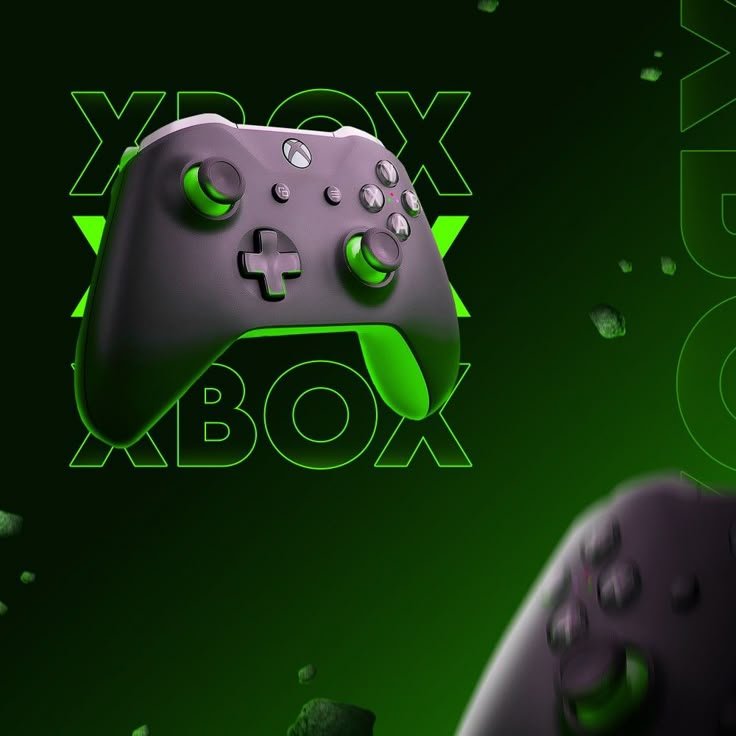
Gamers want fast access to a growing library of titles, the chance to try new franchises, and a cheap way to keep up with the latest releases. Microsoft Game Pass delivers exactly that. It offers a smooth, constantly expanding catalog on Xbox, PC, and in the cloud. Whether you’re a casual player, a hardcore fan, or someone who loves indie gems, Game Pass is changing how we play.

What Is Microsoft Game Pass?
Microsoft Game Pass launched in 2017. It’s a monthly subscription that gives unlimited access to more than 1,000 games on Xbox consoles, Windows PC, and the cloud (Xbox Cloud Gaming).
There are three main tiers:
| Tier | Price (U.S.) | Key Features |
Game Pass Ultimate: $14.99/month All Game Pass titles + Xbox Live Gold, EA Play, cloud gaming, and discounts.
Game Pass for Xbox: $9.99/month | Full Xbox console library, no Live Gold.
Game Pass for PC: $9.99/month | Full PC library, no Live Gold.
Game Pass also bundles new releases on launch day so you can start playing right away without extra cost.
Why Microsoft Game Pass Is Important?
1. Cost Efficiency – One subscription unlocks a huge library instead of buying many games.
2. Discovery & Diversity – AAA blockbusters, indie titles, and classics let you find games you might never try otherwise.
3. Cross‑Platform Flexibility – Play on Xbox, PC, or the cloud and pick up where you left off.
4. Early Access – Get new titles on their launch day, no waiting for sales.
5. Future‑Proofing – Cloud and cross‑play investment mean the service will grow with new technology.
Key Benefits of Microsoft Game Pass
Benefit/What It Means:
. Unlimited Library Access 1000+ games, including the latest releases |
. Frequent Additions Weekly updates keep the catalog fresh |
. Cloud Gaming Play high‑end titles on low‑spec devices |
. Cross‑Play Switch between console, PC, and mobile seamlessly |
. Exclusive Deals Members get discounts on purchases and in‑game items |
. Family Share The Ultimate tier supports up to 5 family members on multiple devices |

How Microsoft Game Pass Works / Step‑by‑Step Guide?
1. Sign Up
• Visit the Game Pass website or open the Xbox app.
• Choose your tier and enter payment details.
2. Download the Xbox App (PC)
• For PC users, install the Xbox app or Microsoft Store to access the catalog.
3. Browse & Download
• Use filters (genre, platform, release) to find games.
• Click “Install” to download directly to your console or PC.
4. Launch & Play
• Start the game from your dashboard.
• Progress saves automatically to the cloud, allowing device‑agnostic play.
5. Add to Library
• “Add to library” keeps titles available for future sessions, even if you uninstall them.
6. Manage Your Subscription
• In the Xbox app or Microsoft account settings, you can pause, cancel, or upgrade your plan.
Best Tips and Practices
Prioritize downloads: grab high‑priority games before launch windows for instant play.
Use the “Preview” feature: some titles let you download a preview build before full release.
Create a Game‑Pass vault: organize games by genre or priority in the Xbox library for quick access.
Take advantage of EA Play: Game Pass Ultimate includes the EA Play catalog at no extra cost.
Set a budget: track monthly spending to see how much you’re saving versus buying outright.

Common Mistakes to Avoid:
Mistake/Consequence/Fix
Forgetting to “Add to Library” : You may lose access after uninstalling. Always add before uninstalling
Ignoring Cloud Saves Risk of losing progress on new devices. Enable cloud saves in settings
Overlooking Expiration Dates Games may leave the catalog. Watch the “When it’s removed” tag
Not Closing the App Can cause sync issues Shut down the Game Pass app before switching devices
Buying a Game After Downloading You pay extra unnecessarily Verify the title is in your library before purchasing 
Real‑Life Examples or Case Studies:
Indie Enthusiast “Alex”: On his first Game Pass subscription, Alex unlocked Hollow Knight and Celeste, saving $45 in a month. He later found Outer Wilds, a game he never imagined exploring.
Family of Five: Using the Ultimate tier, they shared one subscription across five members. The eldest played Halo Infinite on Xbox, while the youngest played Minecraft on PC.
College Student “Maya”: With limited hardware, Maya used cloud gaming to play Fortnite on her laptop’s low‑spec GPU, saving her from a costly upgrade.
Useful Tools and Resources:
Resource/Why It Helps
Xbox App: Central hub for games, social features, and cloud saves.
Game Pass Catalog Page: Search filters, release dates, and “When it’s removed” info.
Discord Communities: Real‑time tips, recommendations, and deals.
Reddit r/Xbox one & r/Pc gaming: Community discussions and news.
Microsoft Store Deals: Track discounted titles and bundle offers.

Future Trends and Predictions
1. Cloud integration will rise as 5G spreads, making streaming the main way to play.
2. Microsoft may introduce tiered pricing for premium titles or “premium” sub‑subscriptions.
3. AI‑driven recommendations will offer personalized game suggestions based on play history.
4. Cross‑platform live events could be hosted within Game Pass, using its cross‑play features.
5. Indie developers might get tools to publish directly on Game Pass, tightening the ecosystem.
Frequently Asked Questions (FAQs)
Question/Answer
Is Game Pass free?
Ans; No, it’s a paid subscription, but it offers more value than buying games individually.
Can I keep a game after my subscription ends?
Ans; Once a game is removed, you’ll lose access unless you own it outright.
Do I need an Xbox console to use Game Pass?
Ans; No, you can use it on PC or via cloud gaming on mobile.
Is there a trial period?
Ans; Microsoft sometimes offers a 10‑day trial for new subscribers.
Can I share my subscription with friends?
Ans; The Ultimate tier supports up to five users across devices; other tiers allow single‑user access.
What if I play a game on one device and switch to another?
Cloud saves sync automatically, so you can pick up right where you left off.
Conclusion and Final Thoughts
Microsoft Game Pass has grown from a niche subscription into a central part of modern gaming culture. Its mix of affordability, variety, cross‑platform flexibility, and forward‑thinking cloud technology makes it an alluring choice for gamers of all types. Whether you’re a couch‑surfer, a serious e‑sports player, or a family exploring together, Game Pass offers a vast, expanding playground. Adjust your settings, dive into the library, and let the games begin—because with Microsoft Game Pass, the next adventure is always just a click away.